
See where the lap time really goes
Stop guessing where the lap time goes. Traces puts your last lap and your reference lap side by side: every corner, every brake, every throttle input. So you know exactly where you're fast, where you're slow, and what to fix on the next run.
This app requires a premium subscription.Your lap and the faster one, side by side.
Put the video of your lap next to a faster lap's and watch them together. Both pictures stay at the same point on the track, with the time delta and the segments underneath, so you see exactly what the quicker driver does differently.
The opening sector: the time delta grows corner by corner while both laps play.
- Matched by distanceBoth videos follow the same metre of track, not the same second of the lap.
- Your replays, your referencesRecord a replay in the app, or open a video you already have, and link it to its lap.
- The data under the pictureDelta, speed, pedals and steering for both laps, segment by segment.
- Feedback beside itWhere you lose the time, and what to change first.
Runs on your PC or Mac
Traces reads the telemetry Gran Turismo 7 already sends, so it asks very little of your computer. Nothing is installed on the console.
- Windows 10 or 11, 64-bit
- 4 GB of memory, 8 GB recommended
- 1 GB of free space for the app and your laps
- Apple silicon (M1 or newer). Intel Macs are not supported yet
- macOS 11 Big Sur or later
- 4 GB of memory, 8 GB recommended, and 1 GB of free space
- PS5 or PS4 with Gran Turismo 7
- On the same home network as your computer, Wi-Fi or cable
- An EDGE Premium subscription on your dg-edge account
What drivers say
See what Gran Turismo 7 drivers have to say about Traces: honest reviews of the GT7 telemetry app from drivers who use it to compare laps, find the time and get faster.
Driving with Traces? Rate it from your community profile: it takes a minute.
What you can do with Traces
Three views that turn your driving into something you can actually fix
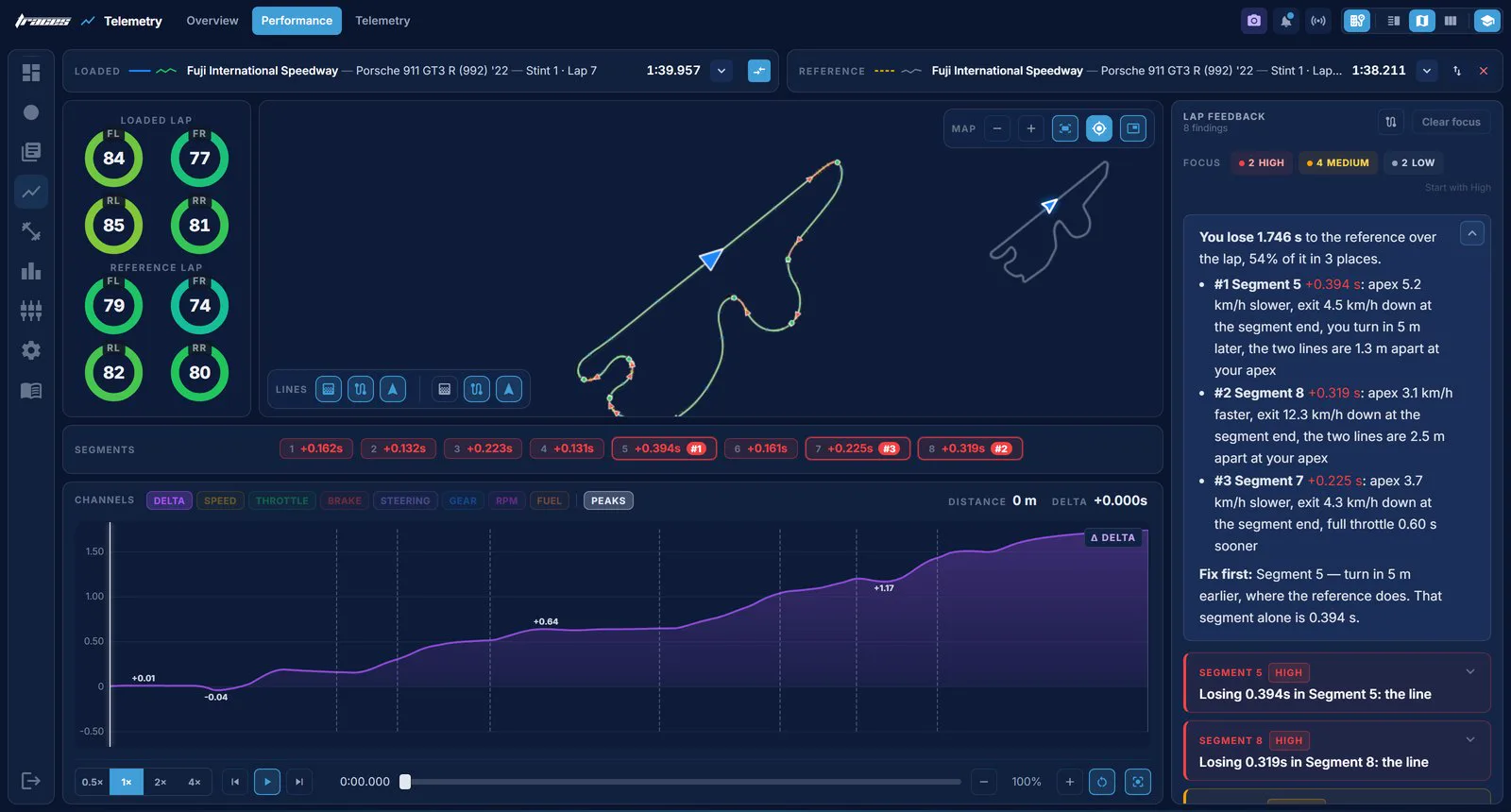
Compare lap by lap
A live time difference between your current lap and your reference. The line dips when you're gaining, climbs when you're losing, so you see the exact corner that costs you the win.
- Live delta updates every metre
- Pick any lap as the reference
- Catch where you give time back
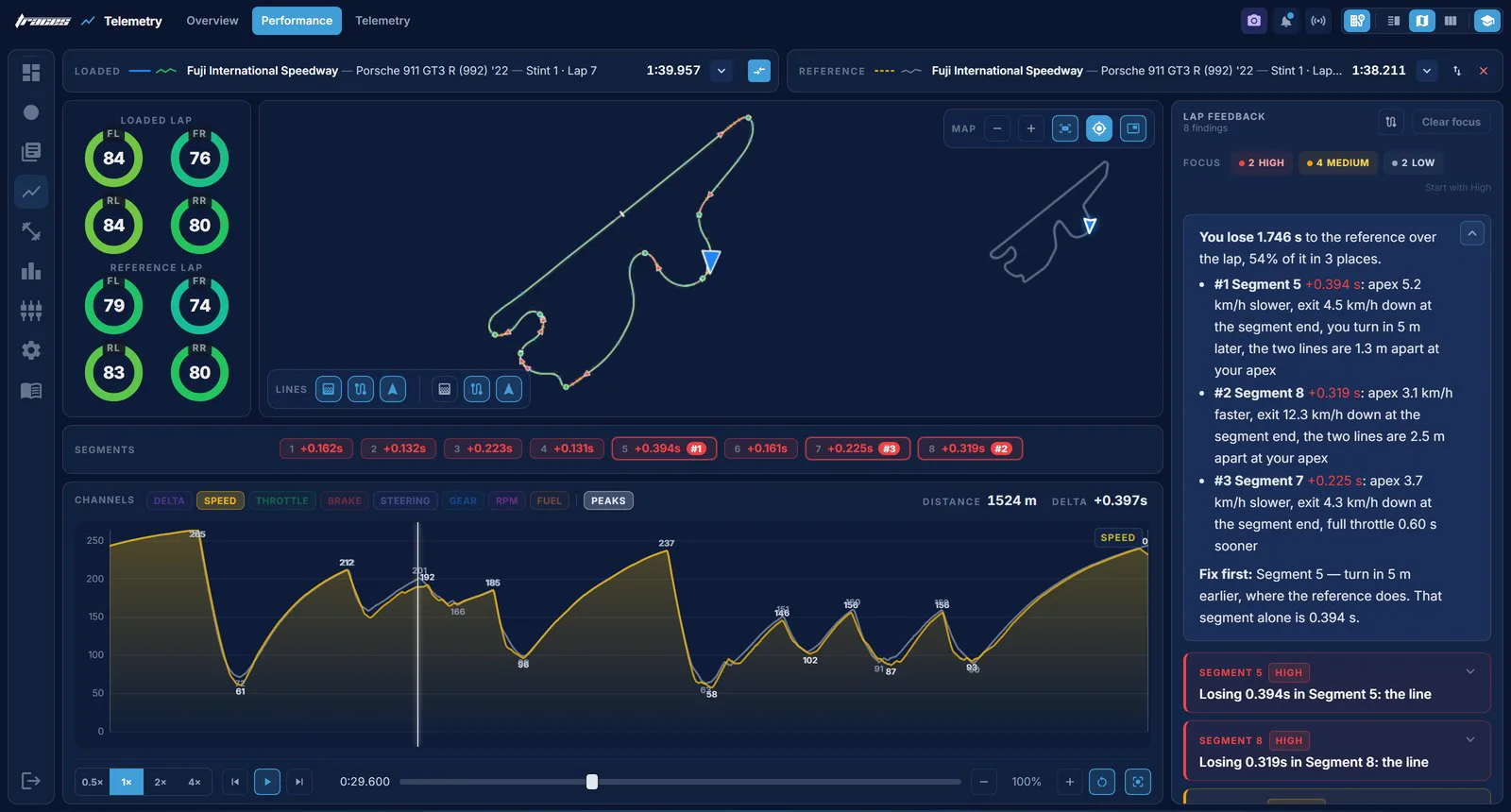
Master every corner
Your last lap and your reference lap drawn over the same track outline with segment deltas along the way. Zoom into any corner, walk it metre by metre, and see exactly where the line and speed diverge.
- Segment deltas along the racing line
- Sector-by-sector accuracy
- Zoom in on any corner
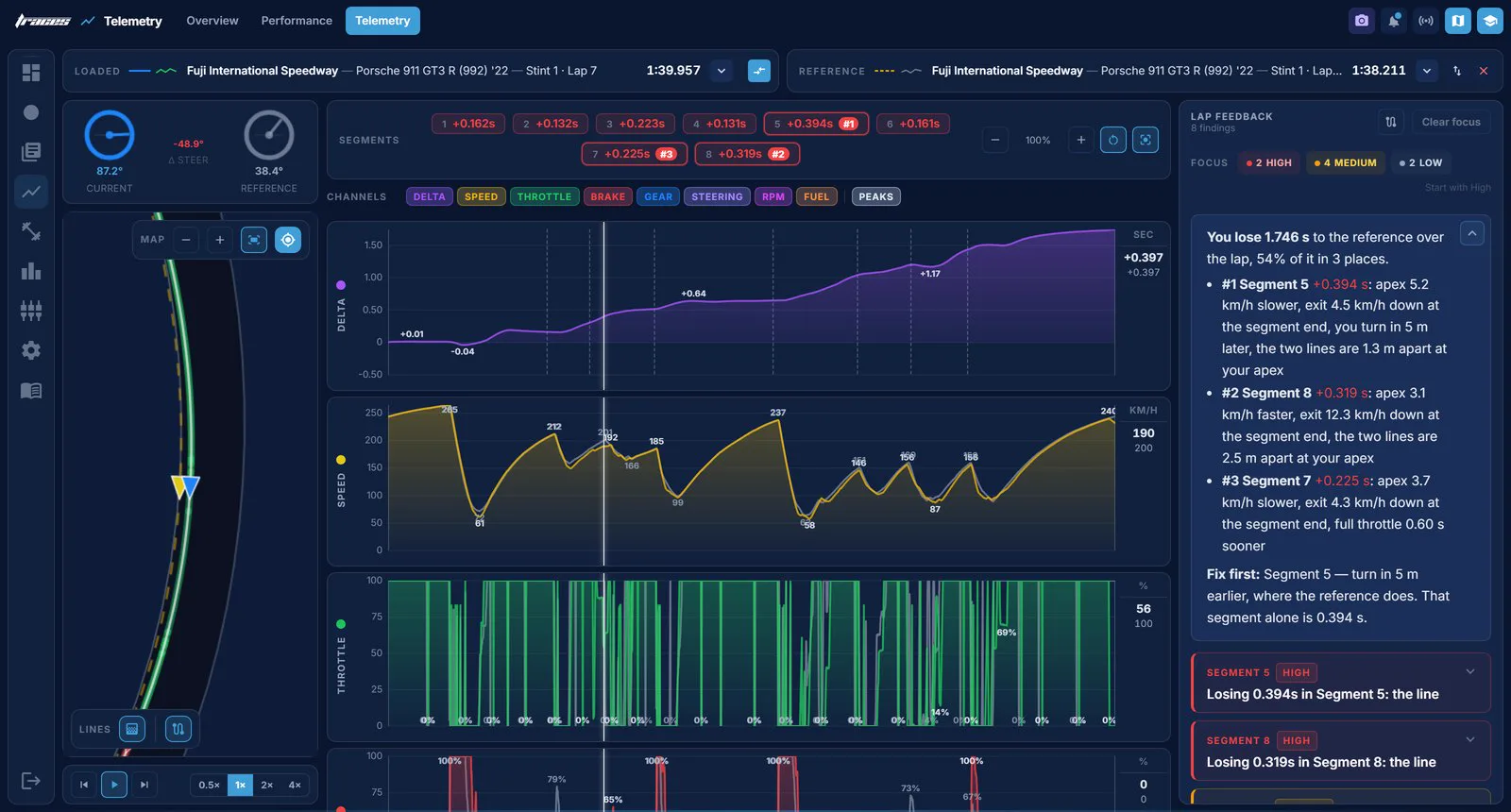
Fine tune your laps
Layer your last lap over the reference and watch speed, throttle, brake and gear traces line up side by side. When your trace drops below the reference, that's where you're losing: the exact input to fix on the next run.
- Speed, throttle, brake and gear traces overlaid
- See where your inputs miss the reference
- Chase your best lap input by input
Every session, fully dissected.
A whole race on one screen: every lap with your position, sector splits and fuel, how you used the wheel and the pedals, and the line you drove.
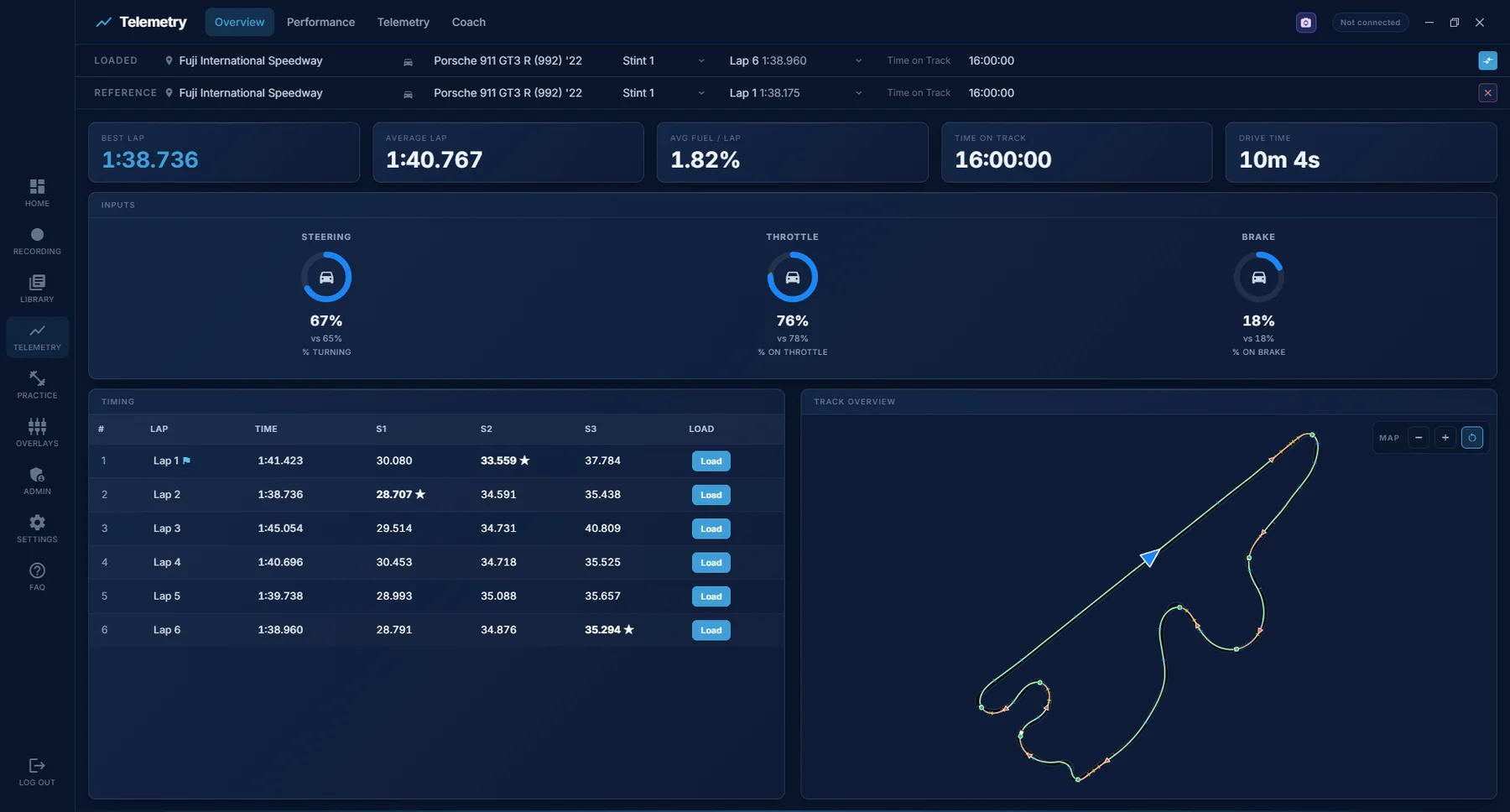
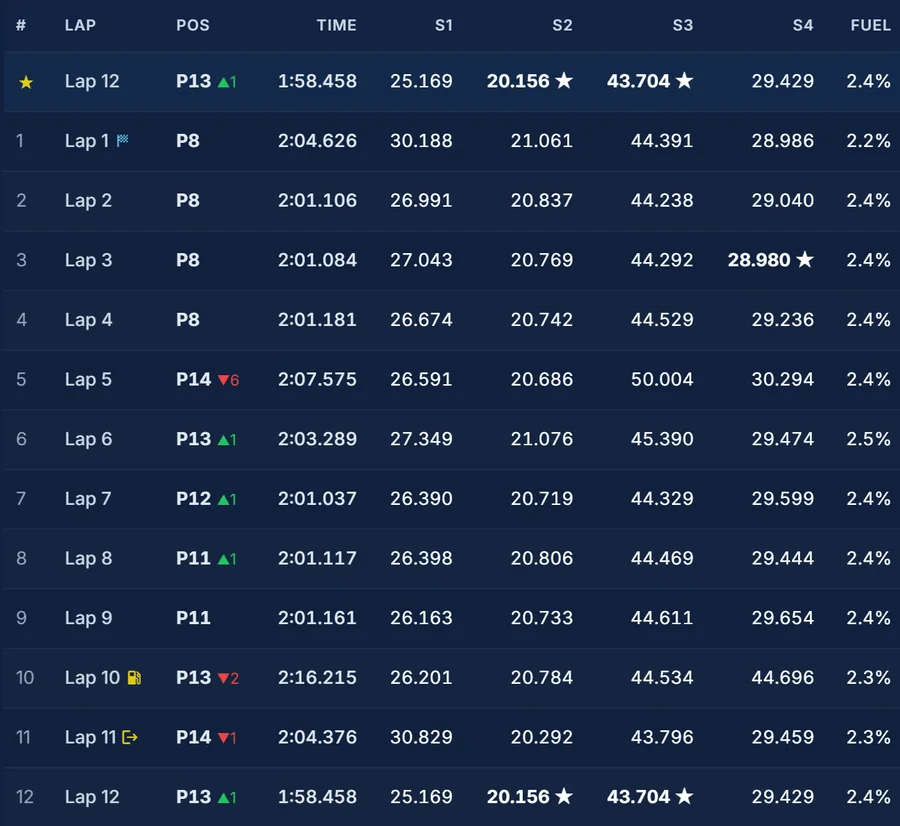
- Your position every lapPlaces gained in green, places lost in red.
- Sector splitsYour best sector of the session gets a star.
- Fuel per lapLap by lap, and the session's average.
- Start, pit and out lapsEach one marked, so you know which laps were clean.
- Your inputsHow much of the lap you spent turning, on the throttle and on the brake.
- The track mapThe line you drove: where you braked, the slowest point of each corner, where you got back on the throttle.
- CSV exportEvery lap's times and fuel, out to a spreadsheet.
Live on stream, too
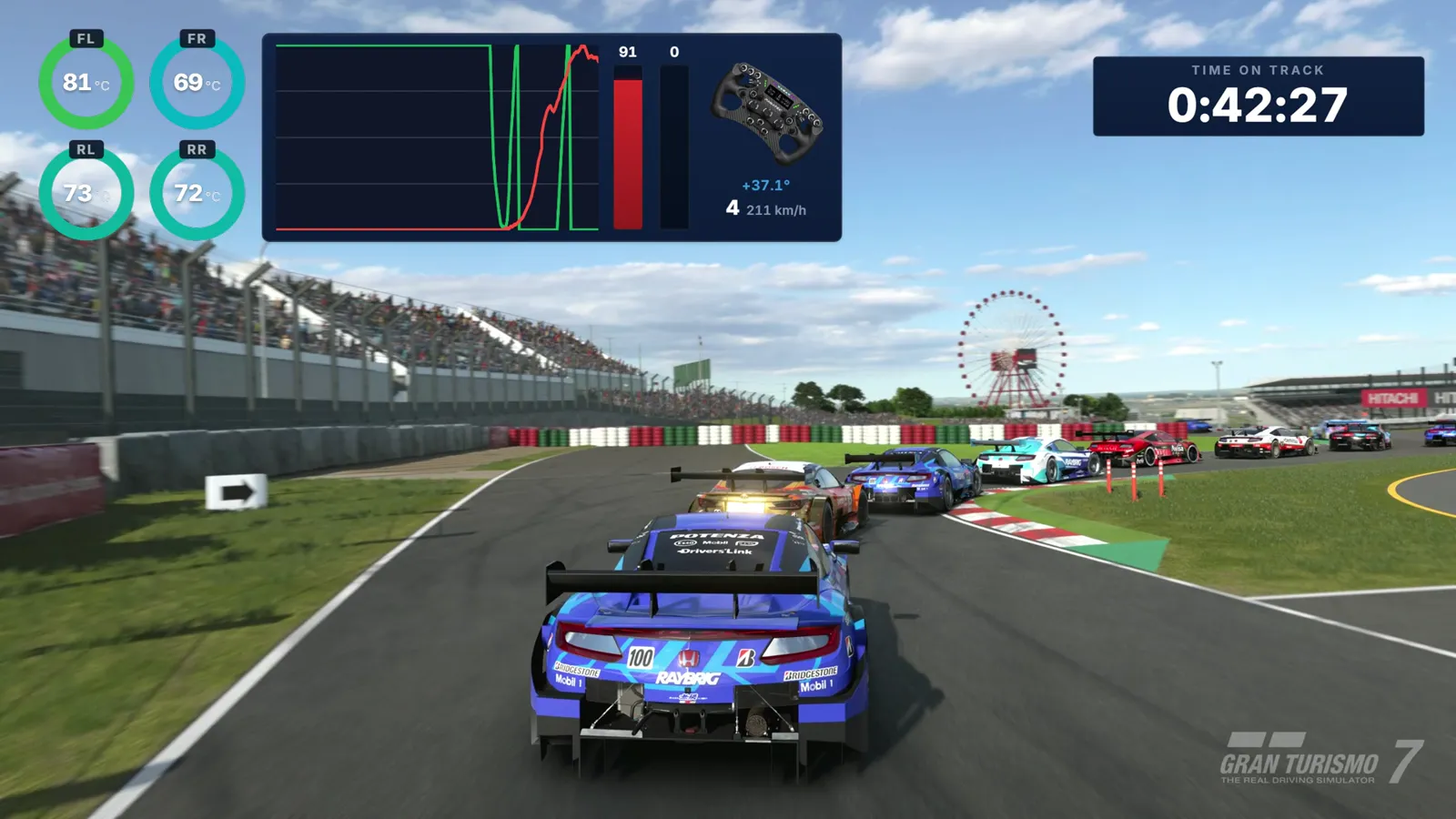
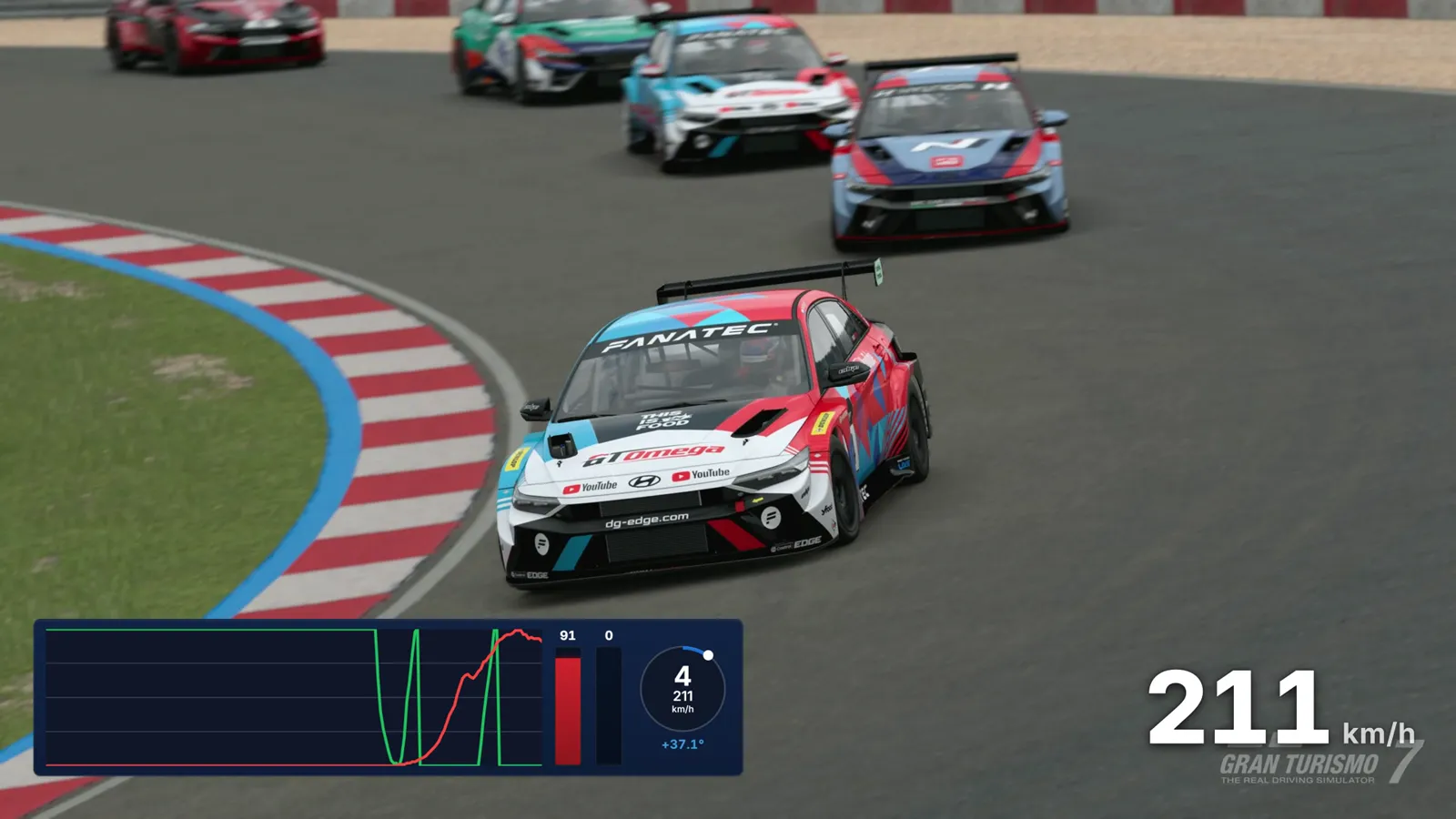
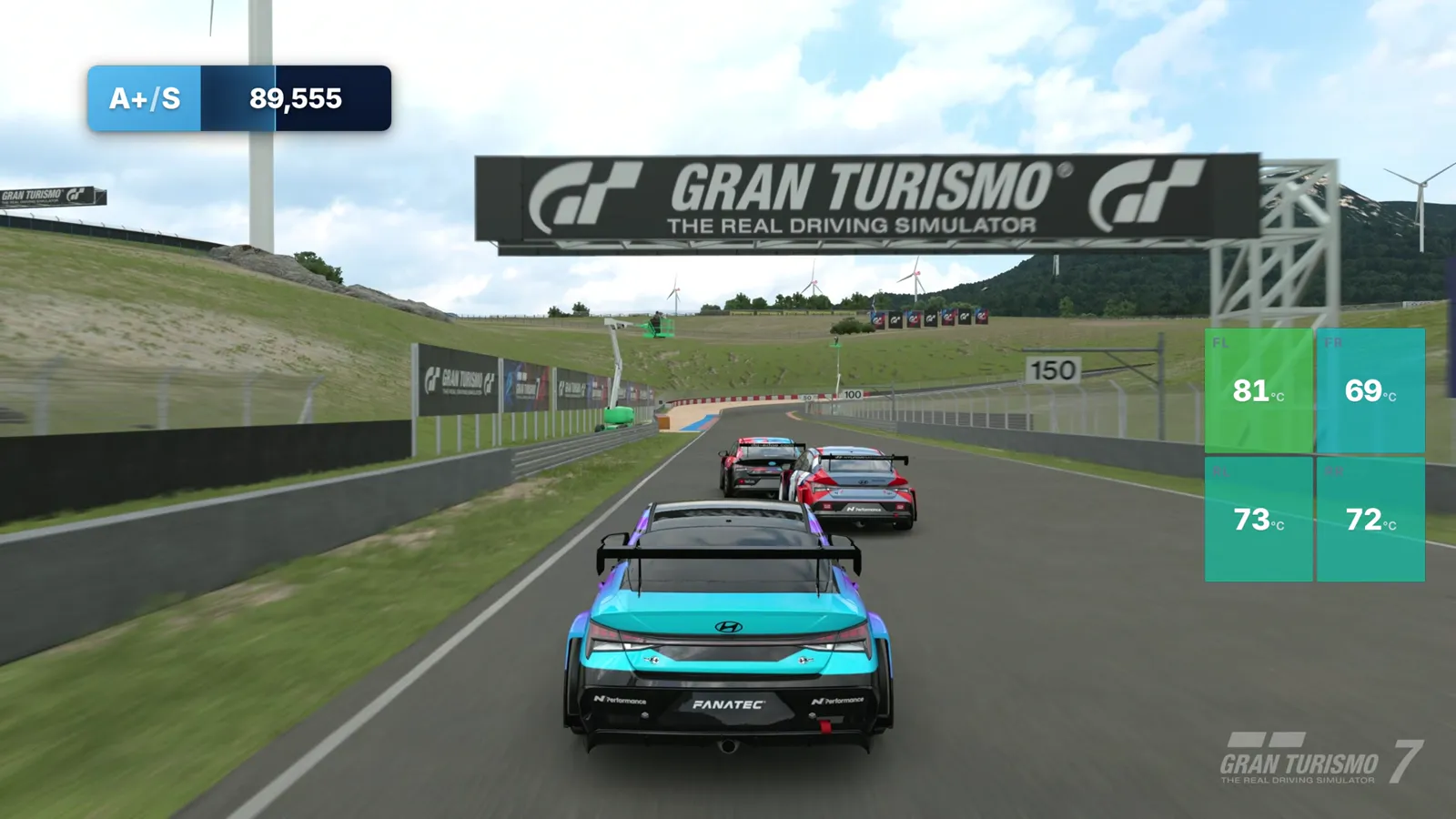
Browser-source overlays for OBS: live telemetry, steering, tyre temperatures, speed, time on track and your driver rating. Transparent, so they sit straight on the gameplay.
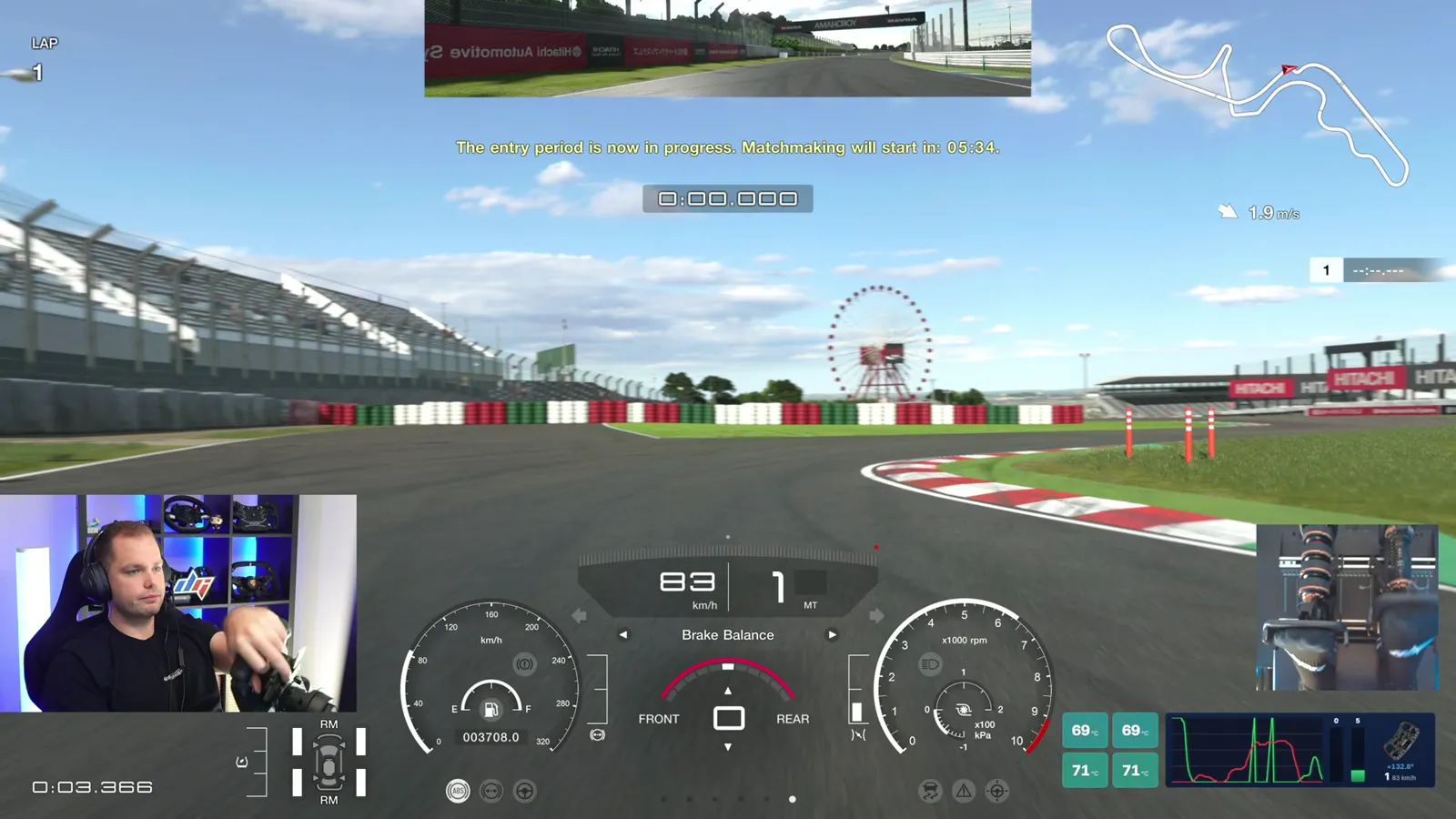
Running in three steps
From a cold start to reading your first lap back.
Connect your PlayStation
Put the PC and the PS5 on the same network and start GT7. Traces finds the console by itself.
Drive
Open Traces, join a session or a time trial, and go. Data streams the moment you cross the start line.
See every lap
Lap times, sector splits, delta traces and corner feedback appear the second you cross the line.
Everything it tracks
Everything GT7 sends, sixty times a second, and what Traces works out from it.
- Throttle and brake
- Steering angle
- Gear and RPM
- Speed
- Tyre temperatures, all four
- Fuel per lap
- Suspension travel
- Car and track recognised
- Lap times and sector splits
- Race position per lap
- Stints and pit stops
- Optimal lap
- Time delta, segment by segment
- Braking, throttle and apex points
- Racing line against a reference
- Lap feedback, lap playback, video
- CSV export
Good to know
Practice drills
Short, repeatable exercises for your pedals and your hands, scored as you drive them.
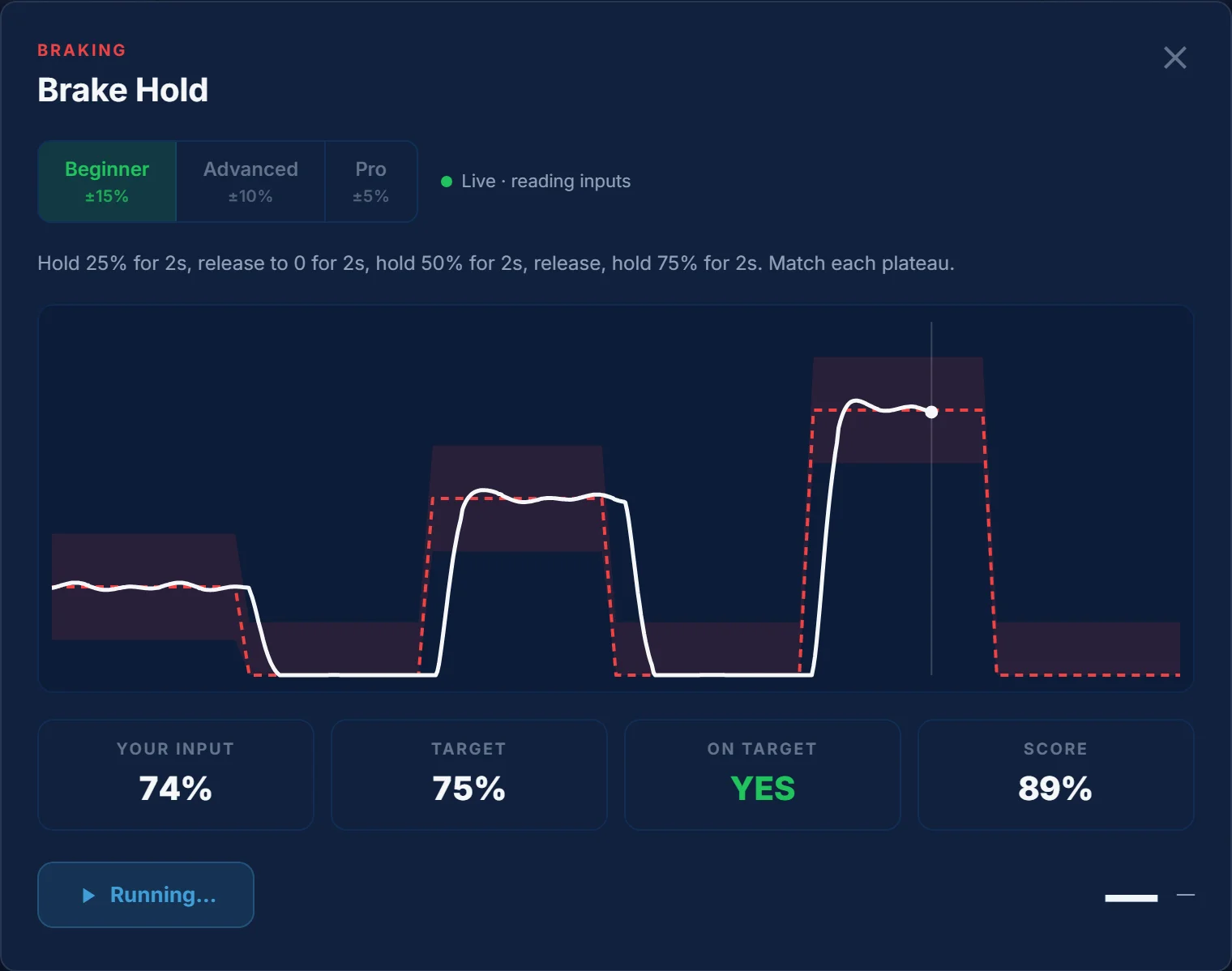
Brake Hold: 25, 50 and 75% pressure, two seconds each.
Follow the line, see your own
Park the car on track and pick a drill. A target line shows what to do with one input; your own is drawn over it as you go, and every run is scored.
- 12 drills for braking, throttle and steering
- Three levels: ±15%, ±10% and ±5% tolerance
- Random drills: a new pattern for brake, throttle or steering every run
- Your grades kept with your account
Your laps, on the web
Every session you record can live online too — on your own page, under your name.
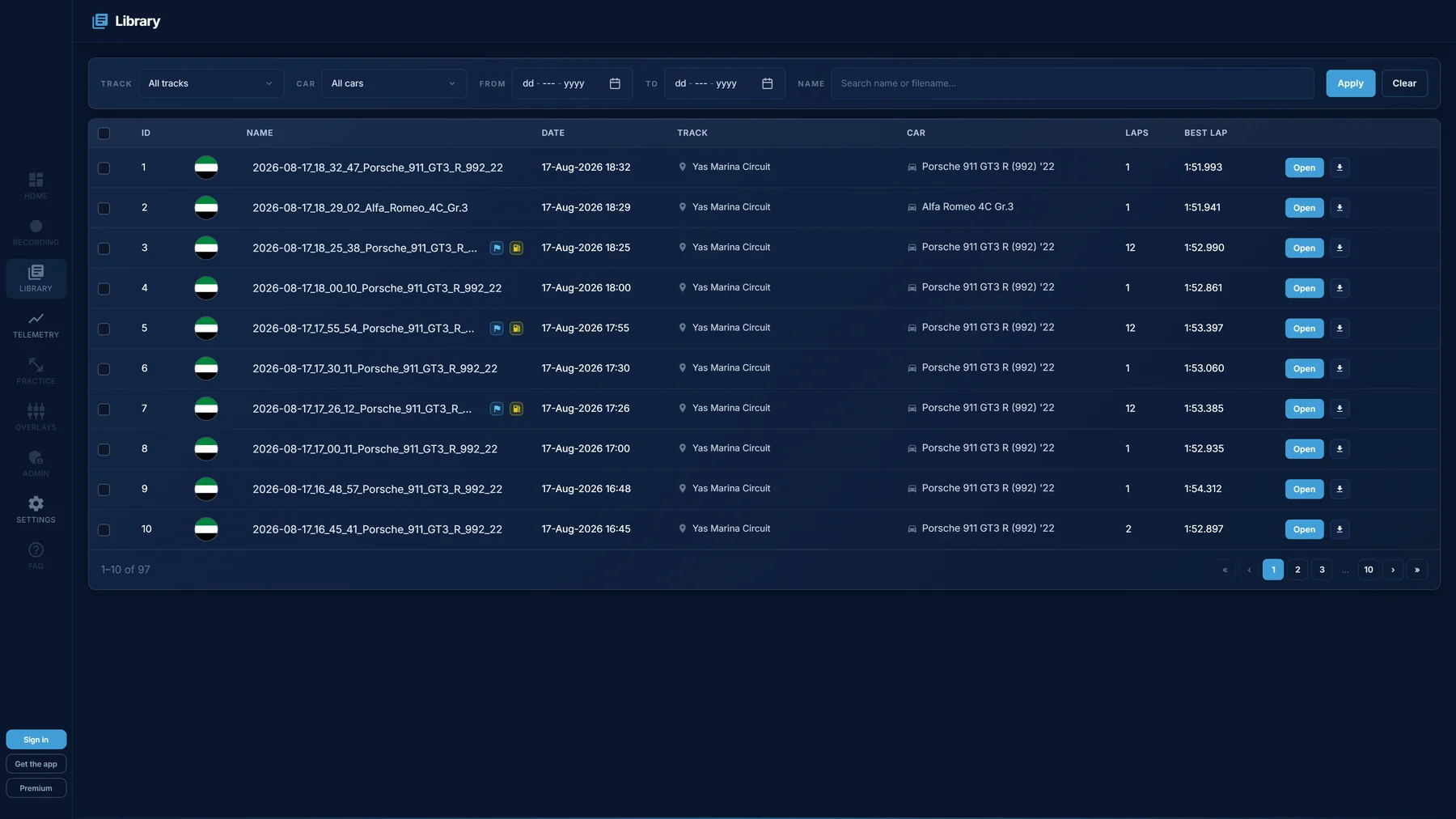
One link, the whole session
Publish a session and it opens in any browser — the same lap list, traces and track map you see in the app, with nothing to install.
- Public session pages on your own profile
- Public by default, private with one click
- Your fastest lap per circuit, tracked automatically
- Sign in with an e-mail code — no password
Perfect for
Wherever you sit on the SR/DR ladder.
Daily Race grinders
Find that one corner that costs you the podium in Race C. Pick your best qualifying lap as the reference, drive, compare, fix. Repeat until the gap is gone.
Time trial hunters
Chasing a top-100 lap? Traces shows you which sector your hero lap is leaving on the table, and lets you keep your best of the best as a permanent benchmark.
Overlays
Keep an eye on your live traces (braking, throttle, gear) while you drive. See what your inputs look like in real time instead of guessing after the lap.
Tire temperatures
Watch your tires while you drive. Cold, hot, or in the window: that awareness is often the difference between saving a lap and binning one.
Start driving with the data the fast guys use.
Connect once, drive a lap, and Traces shows you exactly where it went right and where it didn't. Less guessing. More podiums.